



Project Peach
Draft
We use cookies to enhance your browsing experience. By clicking 'I Understand and Accept', you consent to our use of cookies.
Login
Show
My Account
Control Panel
An example toast message
Do something
Login
en
en
en
en
Change Language
Login
My Account
Control Panel
Customer Portal
Log Out
Customer Portal
Login
en
en
Do something
Login
en
en
en
en
Change Language
Login
My Account
Control Panel
Customer Portal
Log Out
Customer Portal
Login
en
en
Do something
Login
en
en
en
en
Change Language
Login
My Account
Control Panel
Customer Portal
Log Out
Customer Portal
Login
en
en
Do something
Login
en
en
en
en
Change Language
Login
My Account
Control Panel
Customer Portal
Log Out
Customer Portal
Login
en
en
Do something
Login
en
en
en
en
Change Language
Login
My Account
Control Panel
Customer Portal
Log Out
Customer Portal
Login
en
en

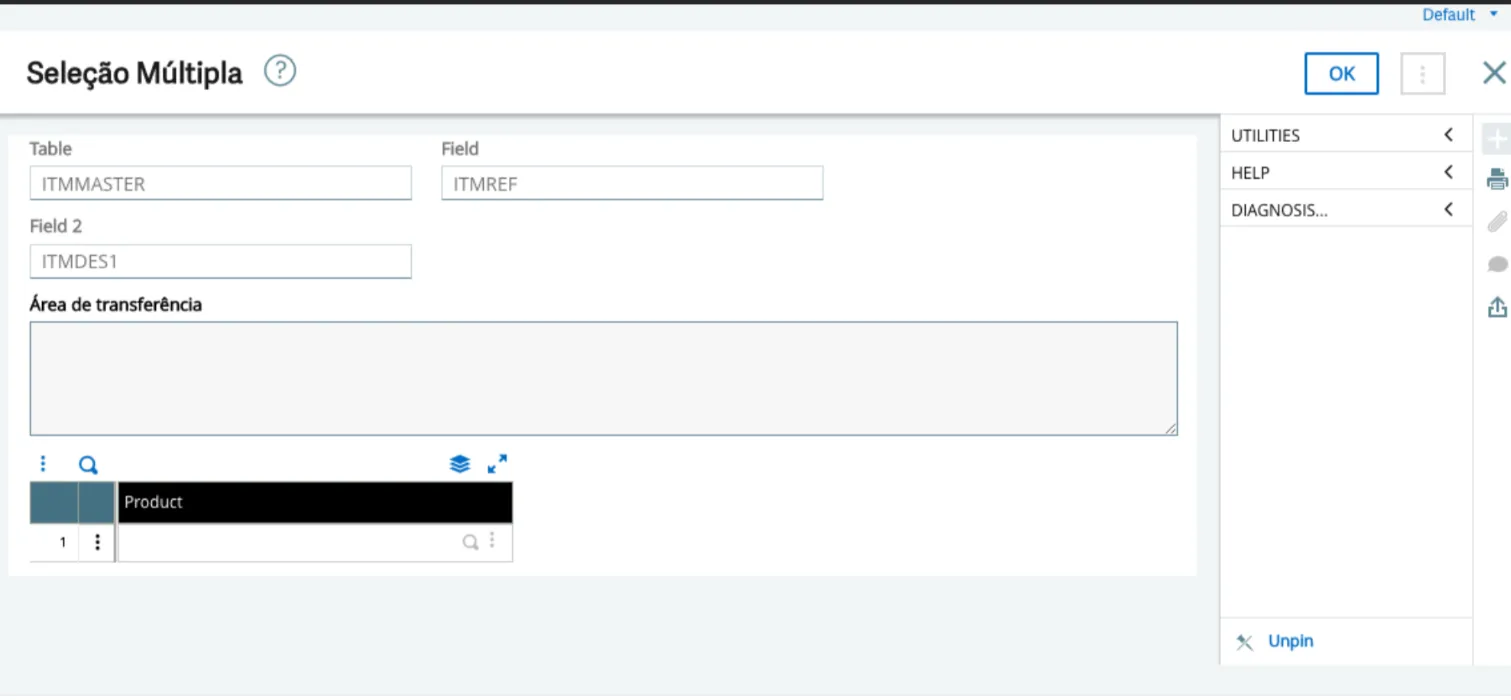
Multiple Selection

What does this add-on do?

Sage X3 Automations, to make the most of your system and optimize your time.
This utility allows the user to enter multiple filter values in the search for information of a function. 
  
Example: In the stock query function by article, the feature allows searching for multiple specific articles. 
  
In other words, it is an alternative to the "range" search available in most Sage X3 functions. 
  
Strengths 
  • Easily adaptable to most Sage X3 functions; 
  • Functionality to copy information from Microsoft Excel to the Sage X3 function; 
  • Option to select the information to filter. 

Get to know more tips to increase the efficiency of your day-to-day with Sage X3.

Visit our page of Tips F5IT

ADD ON

F5IT offers a range of verticals and add-ons for Sage X3 that make your business's daily tasks easier.  

Click here to learn more about our offerings!